

Gatekeeper
Security agent
Your team already uses AI tools. Some are sanctioned, others just appear. Gatekeeper gives you a single point of control over which AI services are accessible across your organisation.
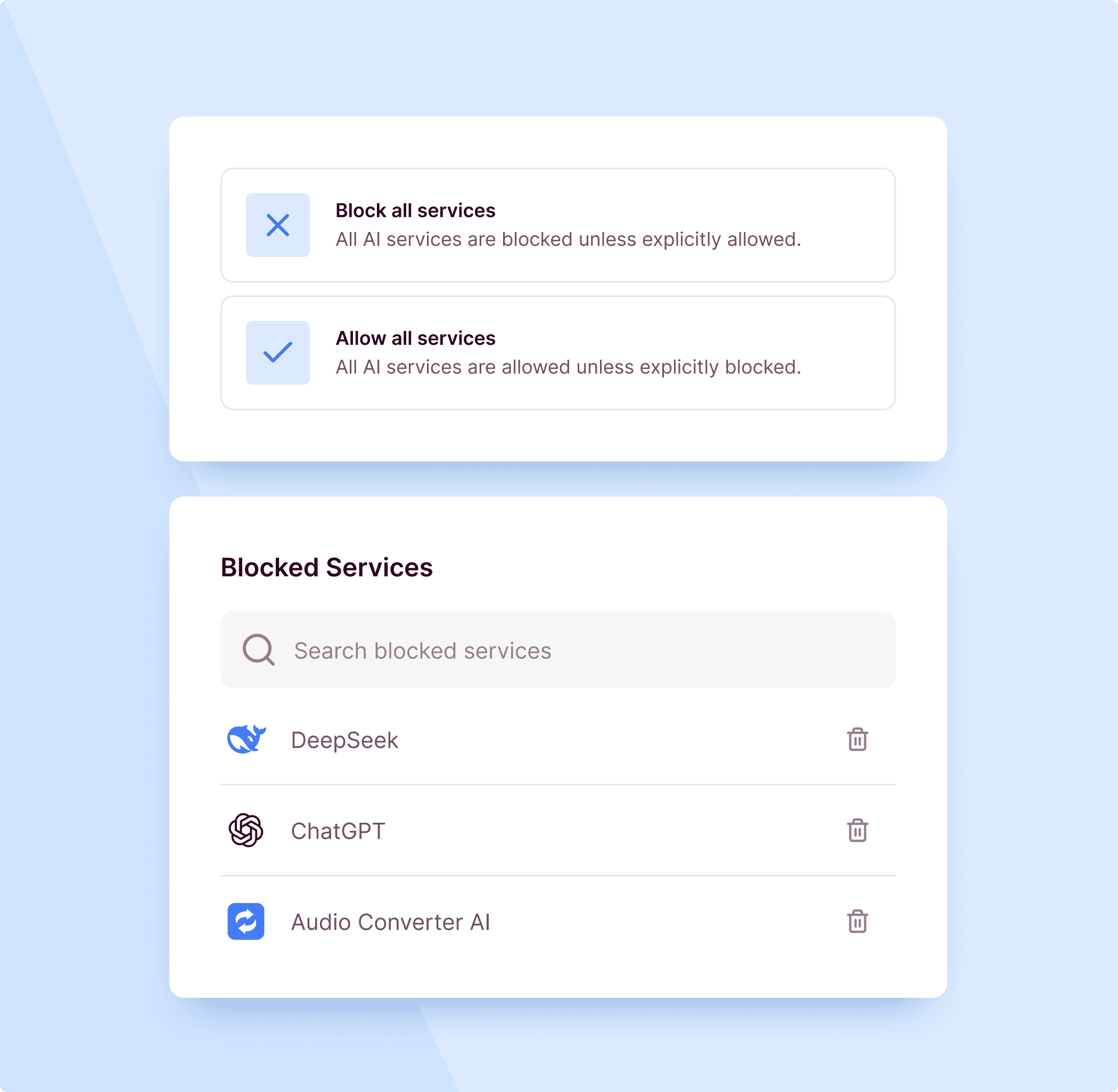
One place to manage AI service access
Set filtering criteria that reflect your requirements. Country of origin, data residency, certifications, service category. Gatekeeper applies these rules across every workspace and keeps an up-to-date overview of what is approved, restricted, and pending review.
How Gatekeeper works
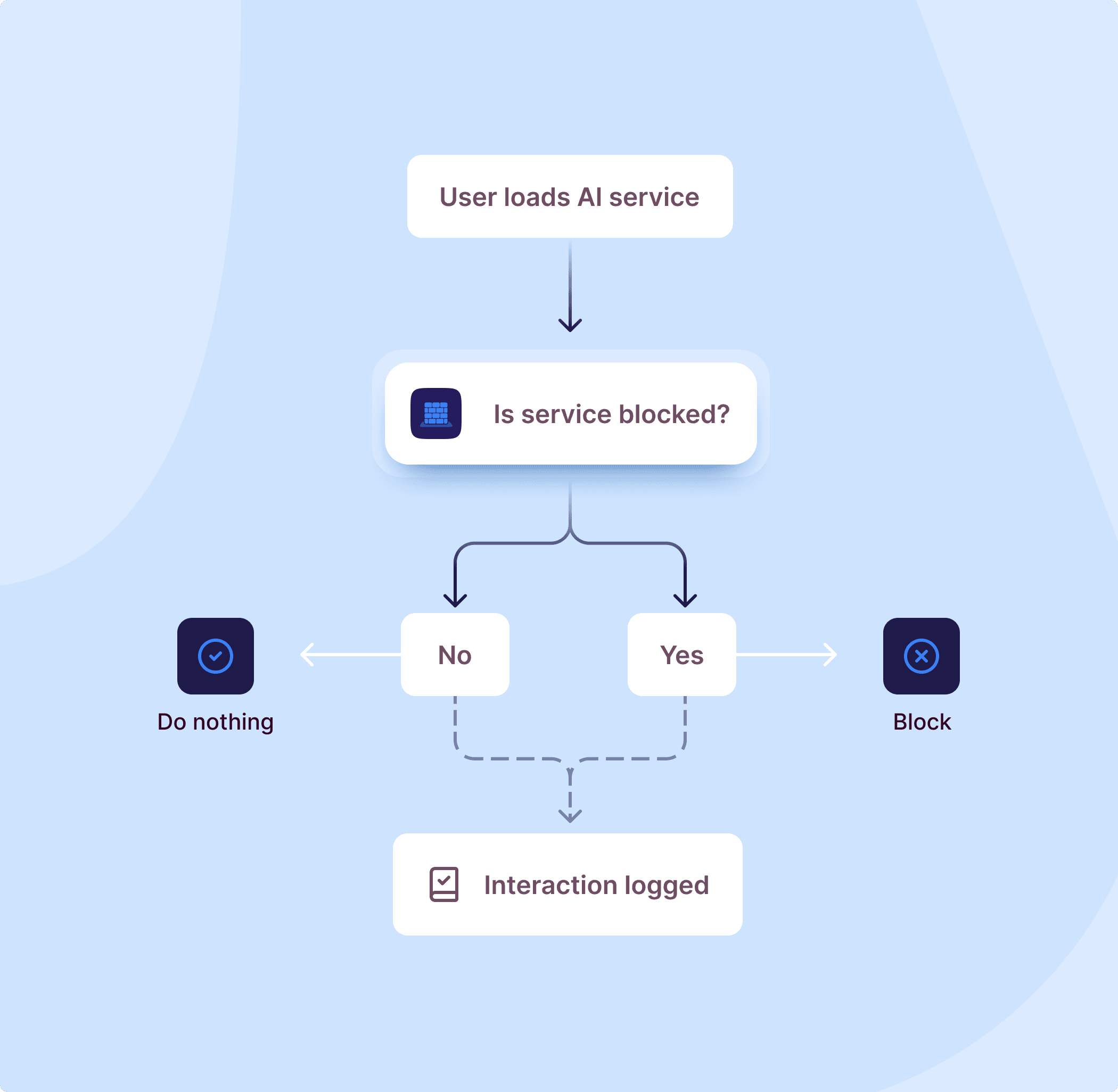
Gatekeeper runs wherever your team uses AI. When someone accesses an AI service, the request is evaluated before any data is exchanged.
Answers to your questions
Common questions about how the Gatekeeper works and what to expect when your team starts using it. If you do not find what you are looking for, dont hesitate to reach out.
Get in touch